

Use trending audio and the right hashtags to increase your chance of getting your Reel into the Reels/Explore feeds, improve completion rates, and surface your content to people already searching or browsing that trend.
How to find trending audio
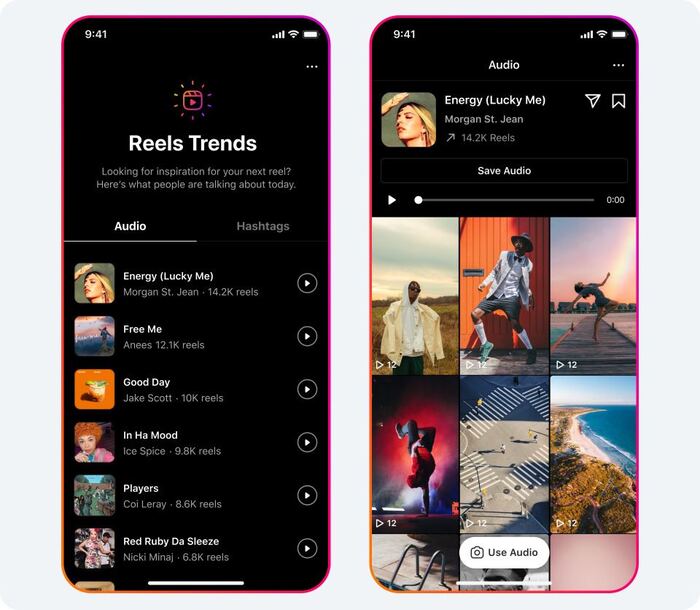
- Watch for Instagram’s upward‑arrow indicator next to a sound — that marks a trending audio clip on Reels.
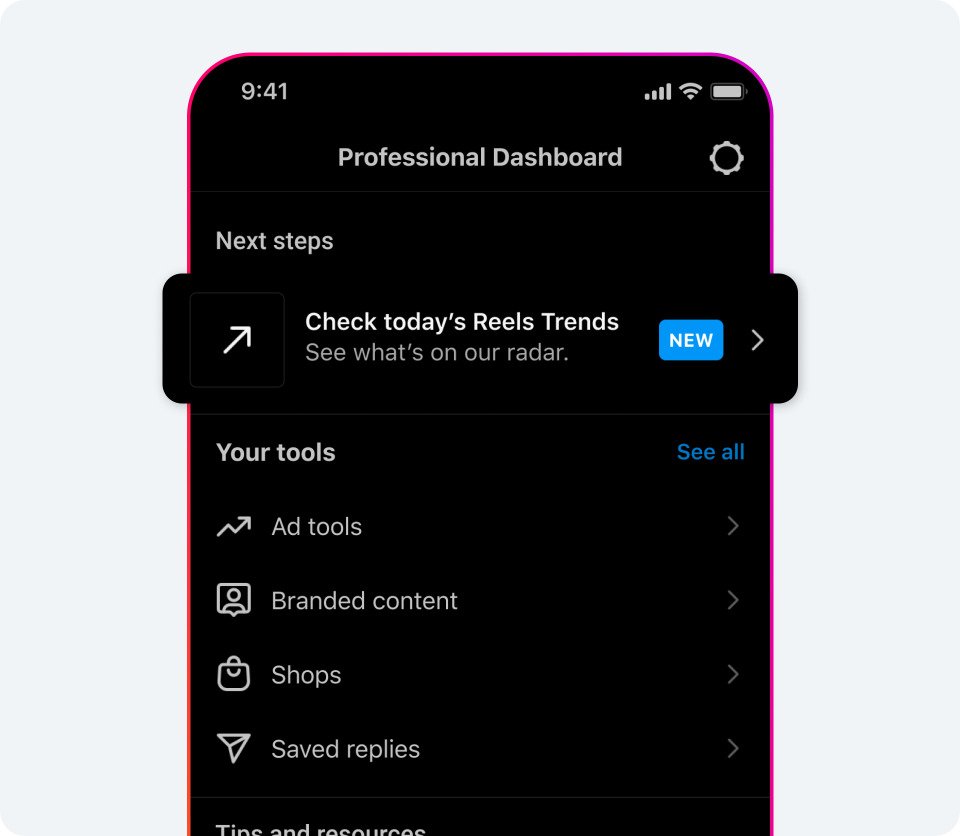
- Check the Audio browser in Reels and Instagram’s Professional Dashboard (for professional accounts) which surfaces curated trending audio.
- Monitor creator hubs (e.g., @creators), Reels Explore, and viral short‑form platforms (TikTok/YouTube Shorts) to spot sounds before they peak on Instagram.
- Save trending sounds into an in‑app bank so you can reuse them quickly when a trend fits your idea.
How to choose which trending audio to use
- Pick sounds that match your niche and content format (not every trending sound suits every brand) to avoid appearing out of touch or inauthentic.
- Prefer sounds that increase watch‑through (e.g., recognizable hooks, beats that match planned cuts) because higher completion raises algorithmic ranking.
- Consider original audio when it’s strong—unique sounds can start new trends and still drive reach.
How to use hashtags effectively with trending audio
- Combine trending audio with a mix of hashtags: a few niche/high‑relevance tags plus 1–2 broader or trend‑related tags to reach both targeted and wider audiences.
- Research low‑competition but relevant hashtags by looking at top posts in your niche and the captions on high‑performing Reels.
- Avoid generic, oversaturated tags alone; pairing them with specific niche tags improves discoverability by interested viewers.
Execution best practices (to maximize the algorithmic boost)
- Hook viewers in the first 1–3 seconds so the trending audio and visual sync encourage immediate engagement and completion.
- Edit cuts to the beat or lyric change for higher perceived production value and shareability.
- Use captions/text overlays to make content watchable without sound, then add the trending audio to get both silent viewers and audio‑search discoverability.
- Post quickly when a trend is rising; trend lifecycles are short (weeks to months), so speed increases impact.
Practical workflow to implement rapidly
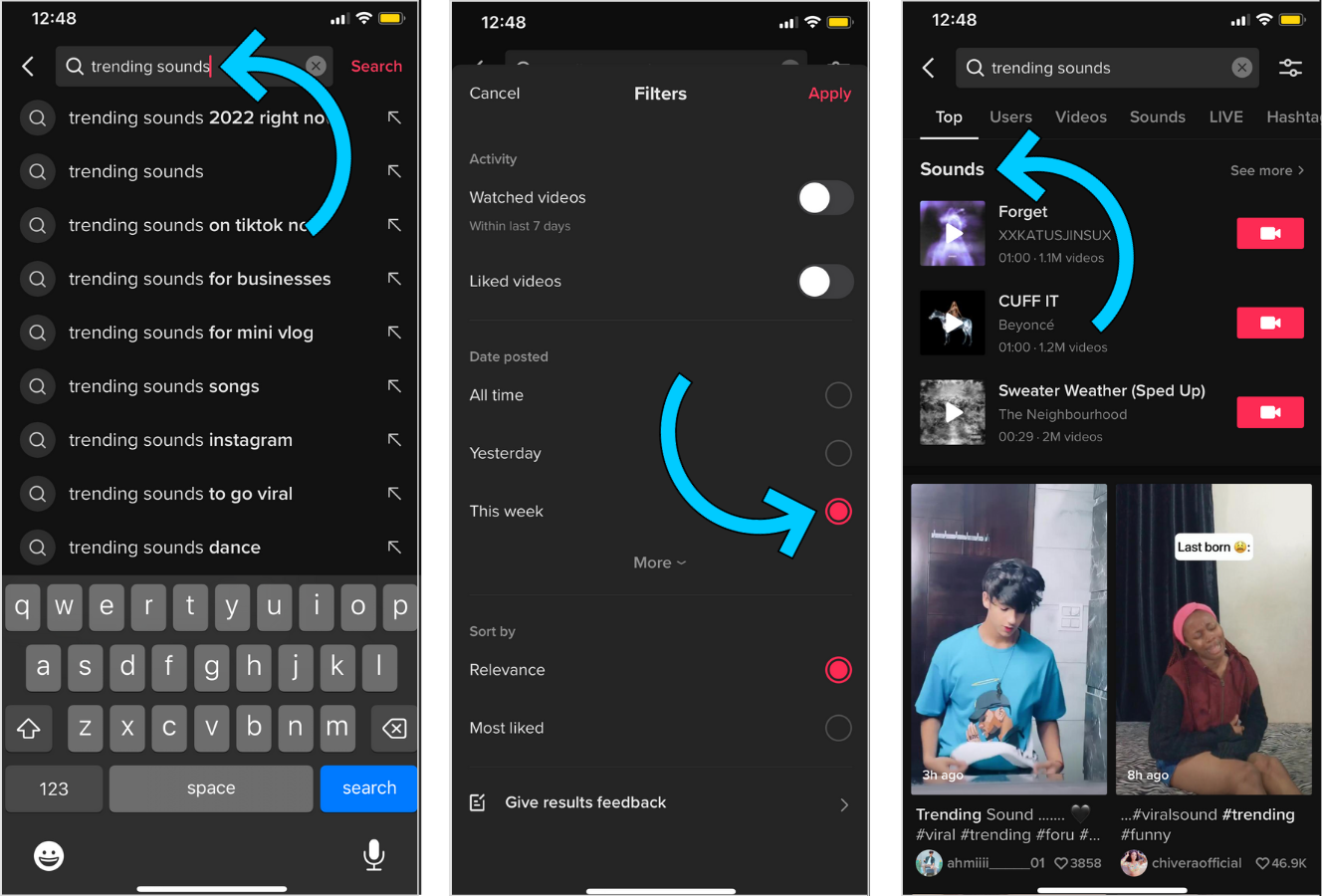
- Daily scan: Explore Reels, @creators, TikTok “sounds” and Professional Dashboard for trending audio.
- Save & tag: Save promising sounds and label them (e.g., “outfits”, “before/after”) so you can match content quickly.
- Idea bank: Keep short scripts or shot lists tied to saved sounds so you can batch‑produce Reels when a sound peaks.
- Post + hashtags: Publish with the chosen audio and 6–10 curated hashtags (mix of niche + trend tags) and a short, clear caption.
- Monitor & iterate: Use Reels Insights to track completion, saves, shares and tweak future audio/hashtag choices accordingly.
When to avoid a trending sound or hashtag
- If the audio’s meme meaning clashes with your message, skip it to protect brand authenticity.
- If a hashtag is dominated by unrelated content or spam, pick more targeted alternatives.
Quick checklist before you post
- Does the sound match the emotion/timing of the video?
- Is the trend still rising (arrow indicator, recent top posts)?
- Are hashtags a combination of niche and broader/trend tags?
- Is the hook strong in the first 1–3 seconds?
- Did you save the sound and have backup captioned version for silent viewers?
If you want, I can:
- Review your Reel (describe it or upload screenshots) and suggest 3 trending sounds and 8 optimized hashtags tailored to your niche, or
- Build a 7‑day scanning calendar and template folder names for saved audio so you can act fast when trends appear.
Sources: Instagram trend guidance and practices described in industry guides and platform help (Instagram Professional Dashboard, Reels audio indicator) and practical analyses of audio/hashtag effects on reach.















Maple Ranking offers the highest quality website traffic services in Canada. We provide a variety of traffic services for our clients, including website traffic, desktop traffic, mobile traffic, Google traffic, search traffic, eCommerce traffic, YouTube traffic, and TikTok traffic. Our website boasts a 100% customer satisfaction rate, so you can confidently purchase large amounts of SEO traffic online. For just 720 PHP per month, you can immediately increase website traffic, improve SEO performance, and boost sales!
Having trouble choosing a traffic package? Contact us, and our staff will assist you.
Free consultation