

Exporting GA4 Data to Power BI, Tableau, and Google Looker Studio (formerly Data Studio)
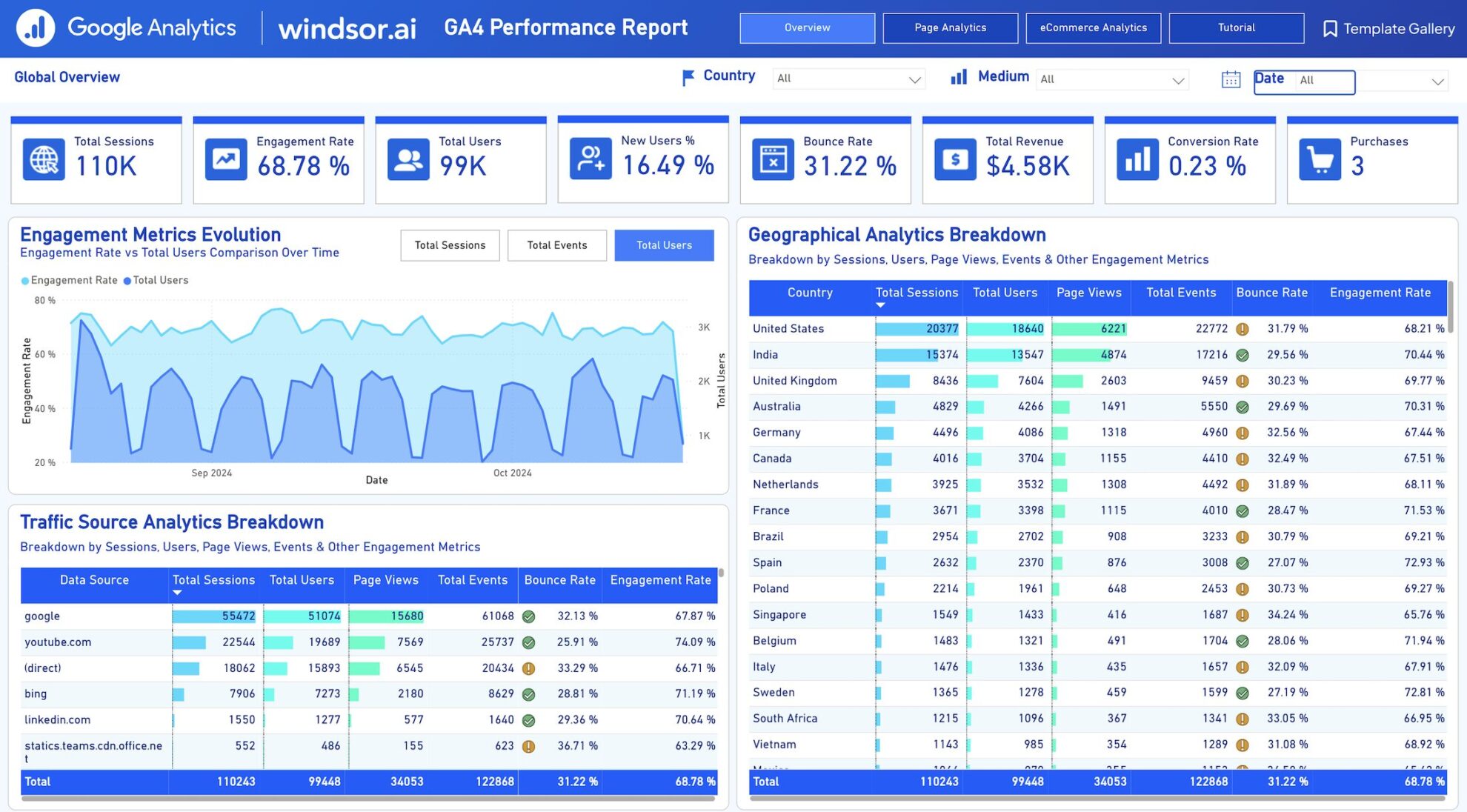
GA4 data can be exported to Power BI, Tableau, and Google Looker Studio primarily through native connectors, the GA4 Data API, BigQuery export, or manual CSV/Excel downloads for smaller datasets. Automated connections via API or BigQuery are recommended for ongoing analysis to avoid GA4's 5,000-row export limits.
Methods Common to All Tools
- Manual Export from GA4 Interface: Navigate to Reports or Explorations, select date range/filters, and download as CSV, Excel, TSV, or Google Sheets. Import files directly into Power BI, Tableau, or Looker Studio.
- Steps: Log into GA4 > Select property > Go to Reports (e.g., Acquisition) > Click Export (top-right).
- GA4 Data API: Use for custom queries in scripts or third-party apps; supports real-time reporting but has quotas (higher for Analytics 360).
- BigQuery Export (best for large-scale/automated use): Enable in GA4 Admin > Link to BigQuery project. Query raw event data directly in tools via BigQuery connectors. Ideal for high-traffic sites to avoid "(other)" row aggregation.
- Limitations: Free GA4 caps exports at 5,000 rows; segment by date or use API/BigQuery for more.
Tool-Specific Connections
| Tool | Primary Methods | Key Steps/Notes |
|---|---|---|
| Power BI | - Native GA4 connector (preview via Power BI Dataflows).- BigQuery connector.- Import CSV/Excel.- Third-party like Analytics Canvas. | Search "Google Analytics" in Get Data > Select GA4 property > Authenticate. Use DirectQuery for live data. |
| Tableau | - GA4 connector (via Tableau Connector library).- BigQuery connector.- CSV/Excel import.- Data API via web data connector. | Connect > To a Server > Google Analytics > Choose GA4 view. Supports custom dimensions/metrics. |
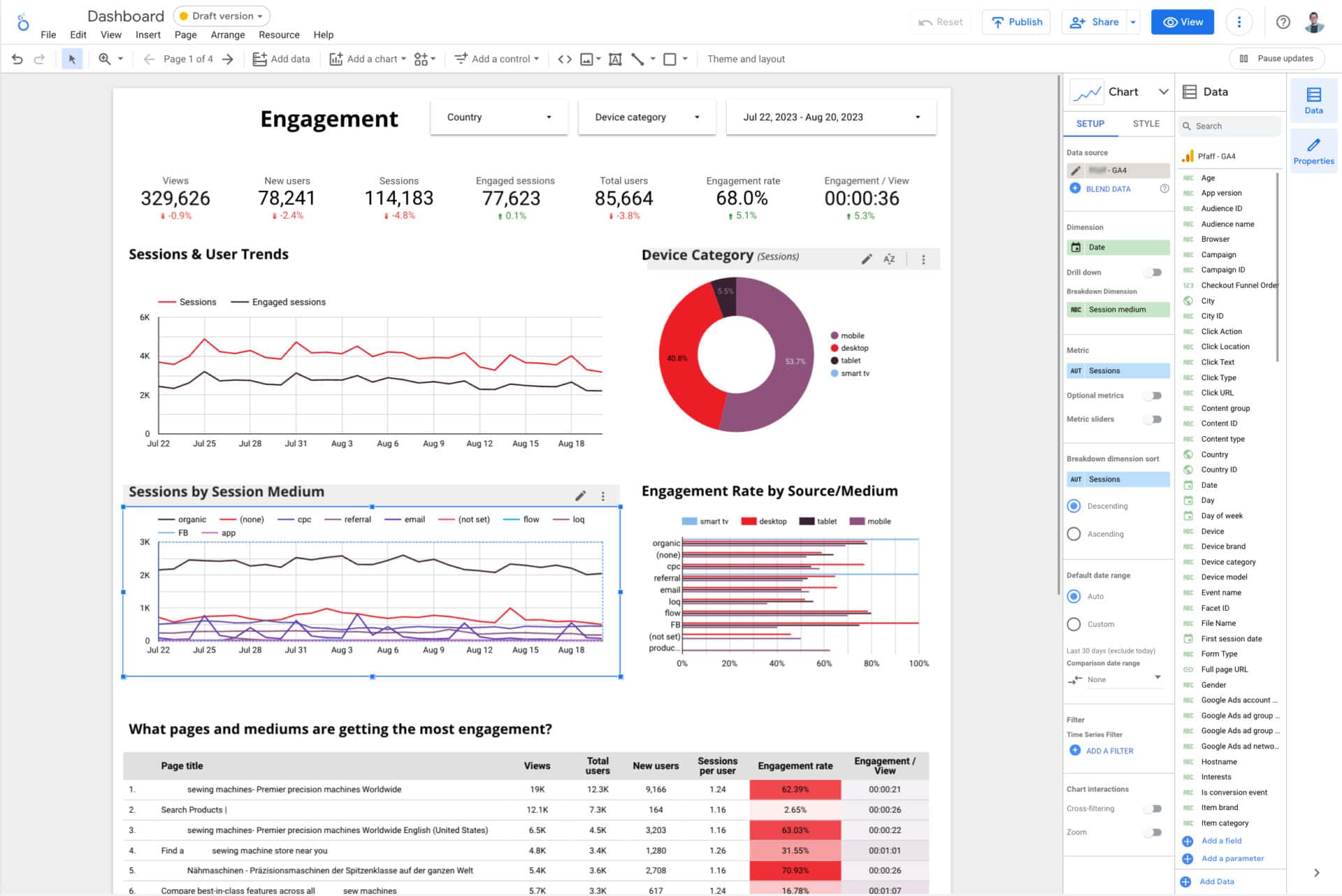
| Google Looker Studio | - Native GA4 connector (easiest).- BigQuery.- Google Sheets (export from GA4 first).- Table exports to CSV. | Create report > Add data > Google Analytics > Select GA4 property/stream. Design visuals directly; export tables via three-dot menu > CSV. |
For automation, combine Data API and BigQuery to build a data mart. Third-party tools like Coupler.io or Syncwith add-ons enable scheduled exports to Sheets then to BI tools. Test connections with small date ranges first, as GA4 sampling may apply to large queries.















Maple Ranking offers the highest quality website traffic services in Canada. We provide a variety of traffic services for our clients, including website traffic, desktop traffic, mobile traffic, Google traffic, search traffic, eCommerce traffic, YouTube traffic, and TikTok traffic. Our website boasts a 100% customer satisfaction rate, so you can confidently purchase large amounts of SEO traffic online. For just 720 PHP per month, you can immediately increase website traffic, improve SEO performance, and boost sales!
Having trouble choosing a traffic package? Contact us, and our staff will assist you.
Free consultation