

Setting Up GA4 with Google Tag Manager for Advanced Tracking
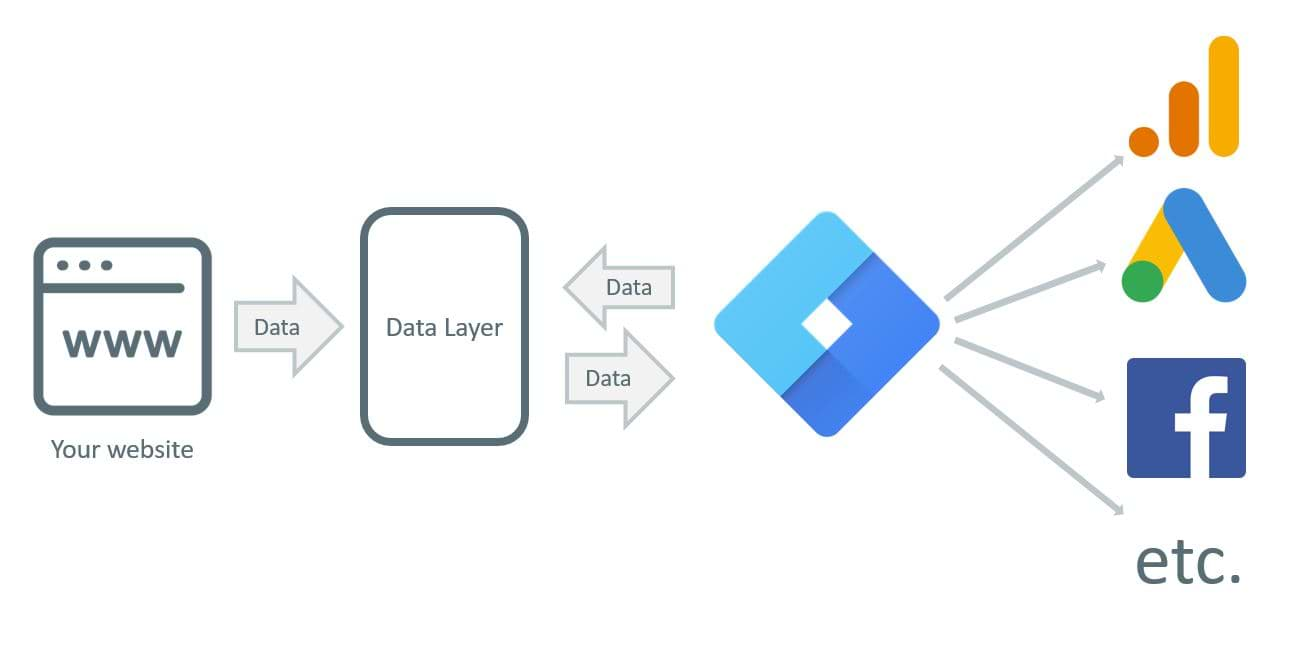
Google Tag Manager (GTM) integrates with Google Analytics 4 (GA4) by deploying the GA4 Configuration tag for core tracking and GA4 Event tags for advanced events like custom interactions, using triggers and data layer variables.
Step 1: Create a GA4 Property and Get Measurement ID
- Sign in to Google Analytics, go to Admin, select your account, and click Create Property for web or app.
- Create a web data stream, enter your site URL, enable Enhanced Measurement, and note the Measurement ID (format: G-XXXXXXXXXX).
Step 2: Set Up GTM Container
- Visit tagmanager.google.com, create an account and web container, then embed the GTM snippets in your site's
<head>and<body>.
Step 3: Configure GA4 Base Tag in GTM
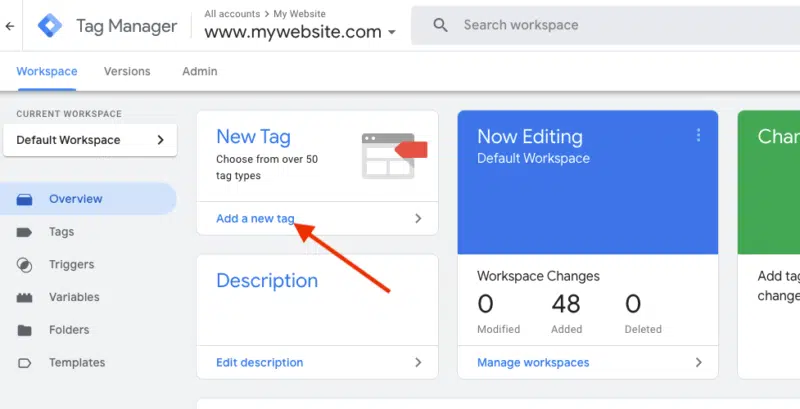
- In GTM, go to Tags > New, name it "GA4 Configuration".
- Select Tag Configuration > Google Analytics: GA4 Configuration (or Google Tag), enter your Measurement ID.
- Set Trigger to All Pages and save.
Step 4: Implement Advanced Event Tracking
- For enhanced or custom events (e.g., scrolls, clicks, form submits), create new tags: Tags > New > Google Analytics: GA4 Event.
- Define event name (e.g.,
experience_impression), add parameters (e.g., via data layer variables likeexp_variant_string), and set triggers (e.g., custom event, click, visibility). - Use Data Layer Variables for dynamic data: Variables > New > Data Layer Variable (e.g., name:
exp_variant_string).
Step 5: Test and Publish
- Use Preview mode in GTM to verify tags fire on your site, check GA4 Real-time reports and DebugView.
- Avoid duplicate tags (e.g., no direct gtag.js on site if using GTM).
- Publish via Submit once confirmed.
This setup enables advanced tracking like e-commerce, user engagement, and custom parameters for deeper GA4 insights. For third-party tools (e.g., Intelligems, Shoplift), route events via data layer to GA4 tags.
















Maple Ranking offers the highest quality website traffic services in Canada. We provide a variety of traffic services for our clients, including website traffic, desktop traffic, mobile traffic, Google traffic, search traffic, eCommerce traffic, YouTube traffic, and TikTok traffic. Our website boasts a 100% customer satisfaction rate, so you can confidently purchase large amounts of SEO traffic online. For just 720 PHP per month, you can immediately increase website traffic, improve SEO performance, and boost sales!
Having trouble choosing a traffic package? Contact us, and our staff will assist you.
Free consultation